Documents
Documents serve two essential roles in the platform:
- Policy sources — Documents are the source material from which rulesets are created. When you upload a compliance policy, regulation, or internal standard, the platform extracts individual rules from that document to build a ruleset.
- Test inputs — Documents are the content that rulesets evaluate. When you run a ruleset, it analyzes a document's text to determine compliance. Documents are also assembled into Datasets for batch testing.
Every verification workflow starts with a document — either as the policy being codified or as the content being verified.
How Documents Work
A typical document lifecycle follows these steps:
- Add a document — Upload a file or create a text document directly in the platform
- Content is stored — The platform saves your document as an immutable record
- Use as policy source — Reference the document when creating a ruleset with the creation wizard, which extracts rules from its content
- Use as test input — Select the document (or include it in a Dataset) when creating a Run to verify it against a ruleset
Working with Documents
The Documents Page
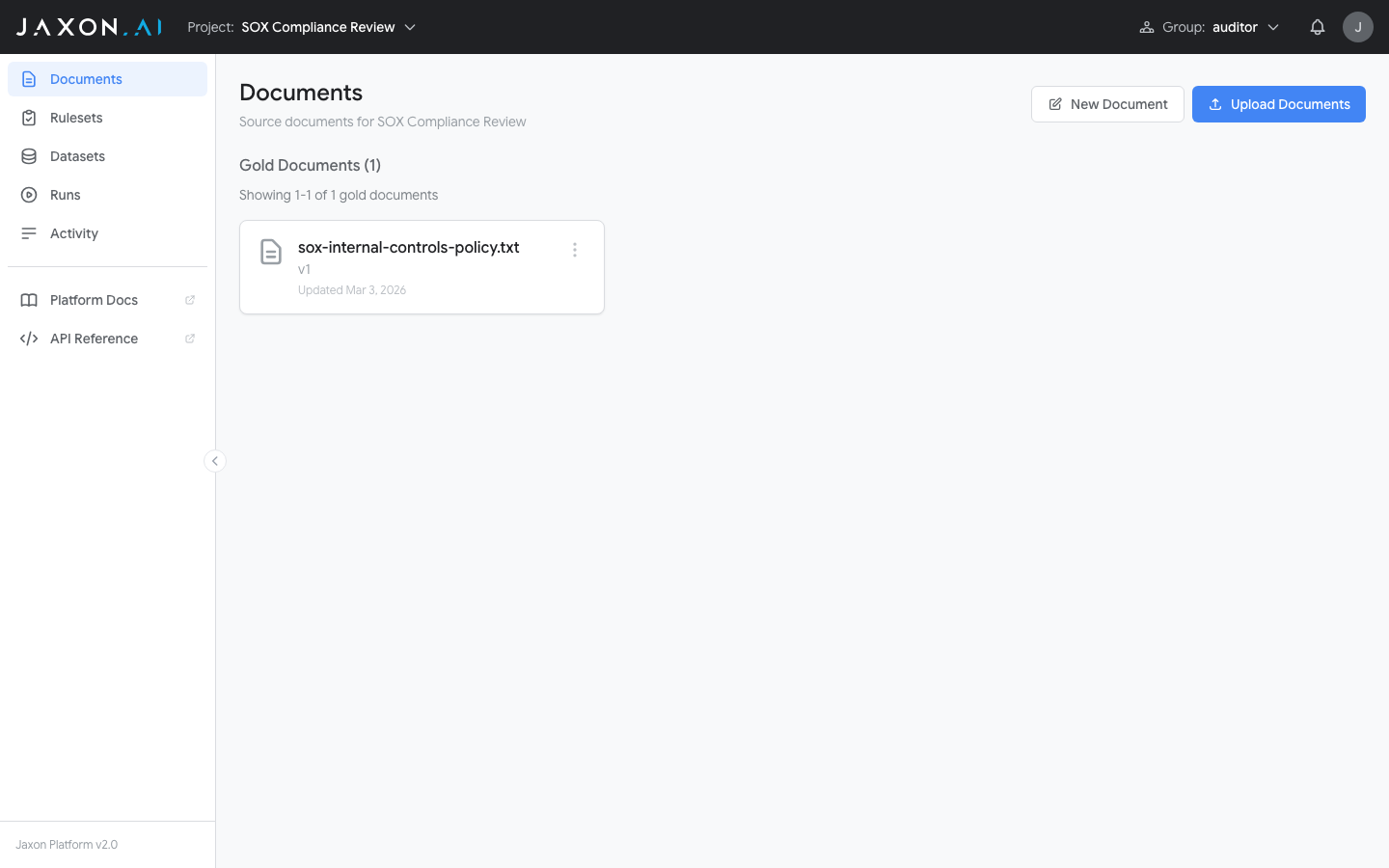
There are two Documents views. The project Documents page (inside a project) shows that project's documents.
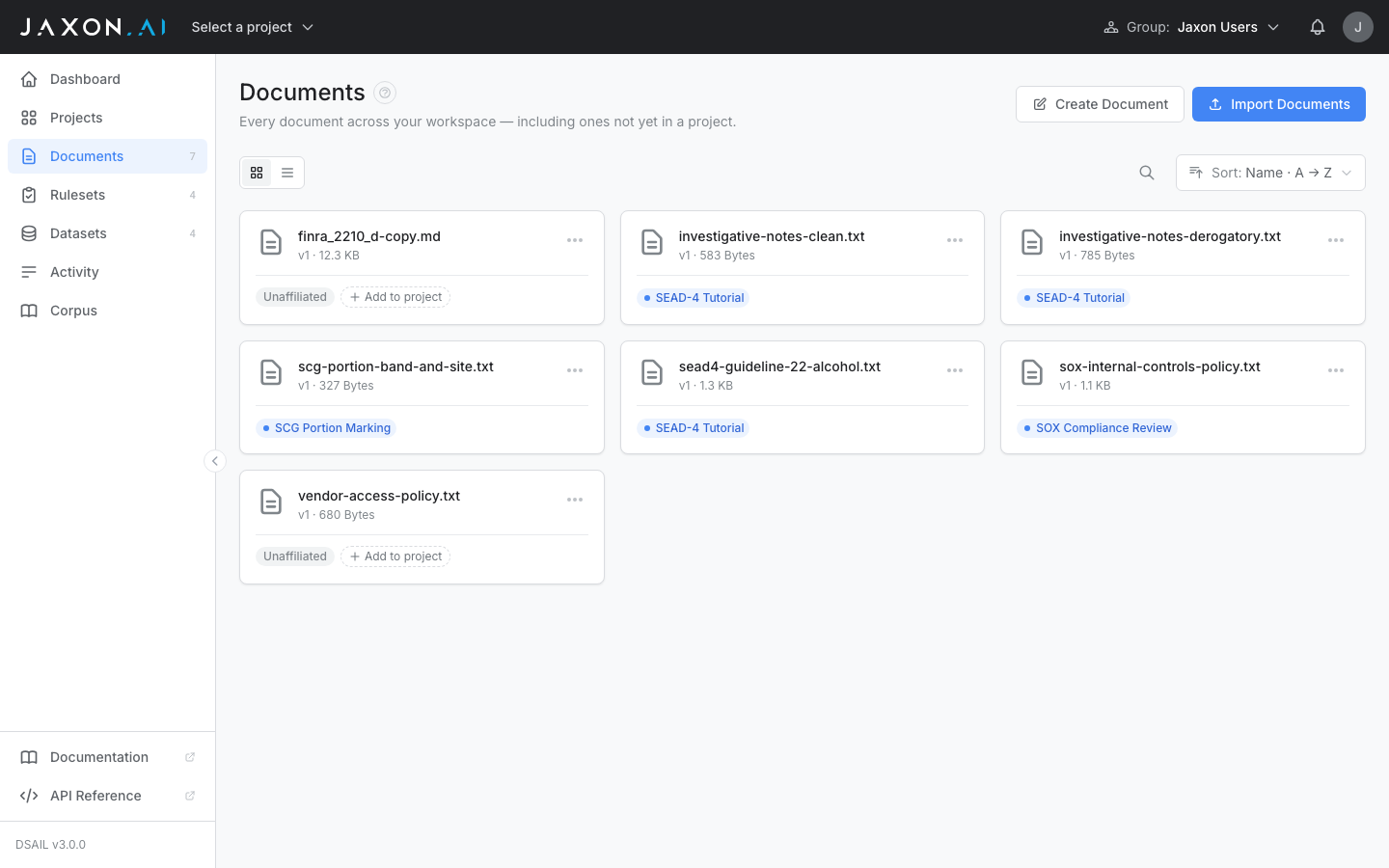
The workspace-level Documents page shows every document across your workspace, including unaffiliated documents that aren't in any project yet. Each row carries a project chip showing where the document lives.
Documents are organized into two sections: Gold Documents (manually created or human-reviewed content) and Silver Documents (machine-generated content that has not yet been human-reviewed). Silver documents are created when you generate synthetic records within a Dataset to expand test coverage. This classification helps you track data provenance across verification workflows.
Documents and Projects
A document belongs to at most one project. Documents created from the workspace Documents page start unaffiliated and can be added to a project later using the Add to project control on the document's row; once added, the document is edited from within that project (opened at the workspace level it is read-only). To use a document in a second project, Duplicate it.
Remove from project (in the project Documents page's ⋮ menu) disassociates a document, returning it to the unaffiliated pool. Two kinds of documents can't be removed: silver (derived) documents, which are permanent members of the project they were generated for, and gold documents that back a ruleset or dataset in the project.
Adding Documents
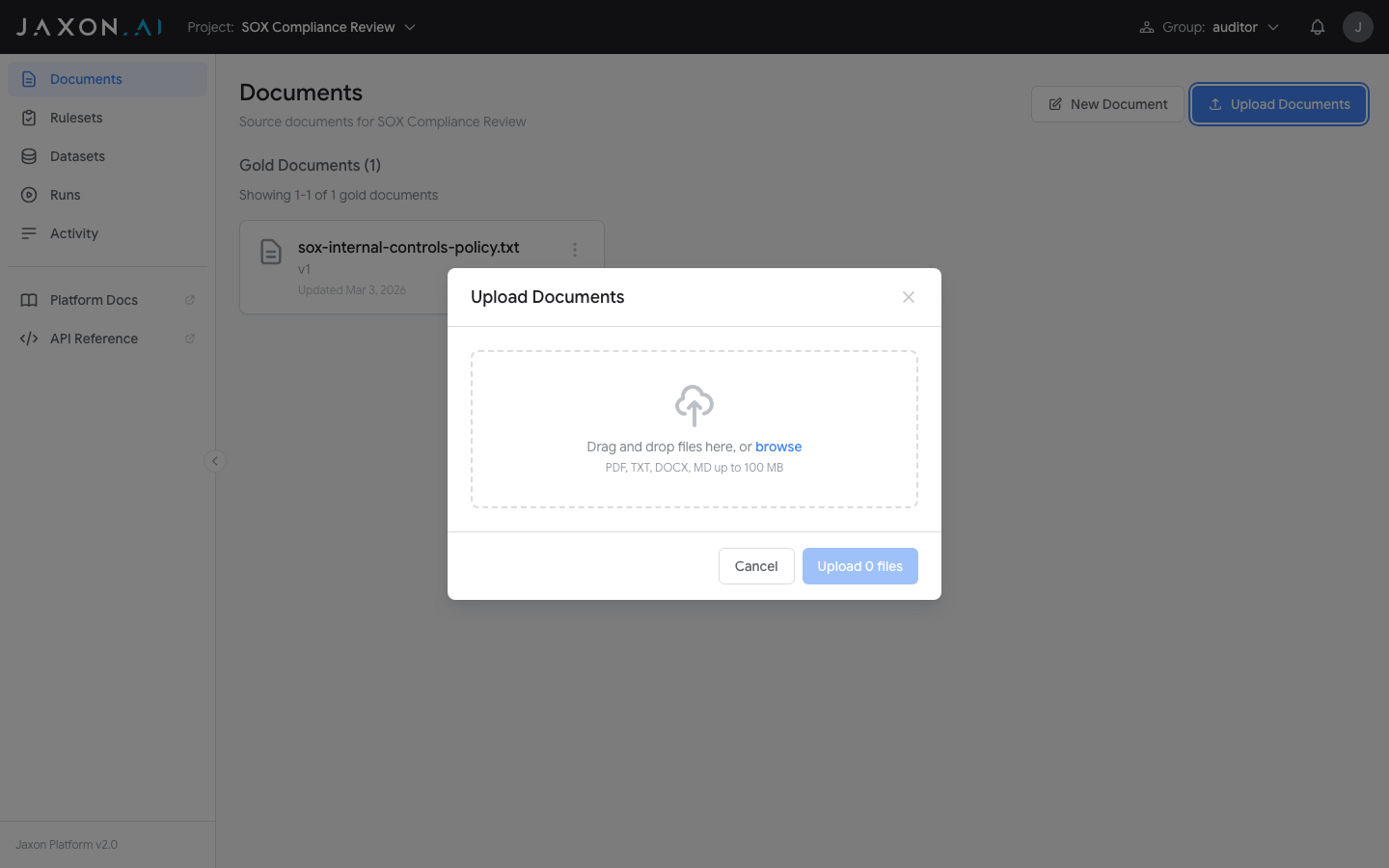
There are two ways to add documents, available from the buttons at the top of the page:
- Create Document — Opens a text editor where you enter a document name and type or paste content directly. This is the fastest way to add policy text or test content.
- Import Documents — Opens a drag-and-drop import interface that accepts PDF, DOCX, DOC, TXT, MD, and CSV files (up to 100 MB). You can upload multiple files at once. CSV files are handled differently: each row in the CSV becomes a separate document. A PDF with no embedded text layer is OCR'd automatically in the background; a PDF that mixes text pages with scanned pages is not, so text on its scanned pages will be missing.
Related Concepts
- Rulesets are created from policy documents and verify content against rules
- Datasets group documents together for batch testing
- Runs execute rulesets against documents and display compliance results
- DSAIL Language is the formal language used to encode the rules that documents are checked against