Rulesets
Rulesets verify that text content complies with specific policies using formal logic. They are the primary verification mechanism in the platform. In the platform, a ruleset is a collection of Rules that each encode one policy requirement as DSAIL Language code. These rules are responsible for checking whether a document is compliant with the underlying policy.
How Rulesets Work
When a ruleset runs against a Document, the platform evaluates each rule independently through a three-stage process:
- Question answering -- Each rule defines data extraction questions (called Claims). The platform asks these questions of the document text using an LLM, producing answers that map to DSAIL variables.
- DSAIL evaluation -- The answers are fed into the rule's DSAIL code as variable bindings. An SMT solver evaluates whether the formal assertions hold.
- Result determination -- Each assertion resolves to one of three outcomes:
- TRUE -- The document satisfies this requirement
- FALSE -- The document violates this requirement
- UNKNOWN -- Insufficient information to determine compliance
This approach separates the hard problem of reading a document (handled by the LLM) from the precise problem of logical evaluation (handled by the solver). The LLM extracts facts; the solver proves compliance. This means verification results are formally provable, not probabilistic.
Key Concept
Unlike purely LLM-based verification, rulesets produce deterministic results for the same inputs. The DSAIL assertions are evaluated by an SMT solver, which means the logic is mathematically rigorous. The only non-deterministic step is the LLM-powered question answering, which can be reviewed and corrected by human analysts when needed.
A Practical Example
Suppose you have a financial disclosure policy that requires companies to report executive compensation. You would create a ruleset with a rule like:
- Rule text: "The document must disclose total executive compensation for the reporting period"
- DSAIL code: An assertion checking that the disclosed compensation is present and above zero
- Questions: "Does the document disclose executive compensation?" and "What is the total compensation amount?"
When this ruleset runs against a document, the LLM reads the document to answer these questions, then the solver checks the DSAIL assertions against those answers.
Rulesets and Rules
A ruleset is the platform's data model for organizing verification logic. Rulesets are comprised of many individual rules.
Ruleset Configuration
You can set the following parameters when creating a new ruleset:
| Setting | Description |
|---|---|
| Name | A descriptive name for the ruleset |
| Description | What this ruleset checks and why |
| Primary LLM | The LLM used at run time to answer questions from documents |
| Utility LLM | The LLM used during ruleset creation for rule extraction and code generation |
| Embedding model | The model used for semantic operations during rule extraction |
Rules
Each Rule within a Ruleset encodes a single policy requirement. A Rule has:
- Rule text -- The policy requirement stated in natural language. This is human-readable and describes what the rule checks.
- DSAIL code -- Formal logic that encodes the requirement as declarations, assignments, and assertions. The platform compiles this code and passes it to the SMT solver.
- Claims (questions) -- Data extraction questions that map document content to DSAIL variables. Each claim has a key (variable name), a question (what to ask the document), context, and a data type.
For Technical Integrators
Rules belong to a specific Ruleset version and are not independently versioned. When a new Ruleset version is created, rules are copied to new records. Rules can only be edited when their parent version is the current head. Each rule also has an enabled flag and priority setting for fine-grained control.
Completion Policies
When a question cannot be answered from the document -- perhaps the relevant information simply is not present -- the variable binding is unknown. The completion policy determines how the solver handles this:
- Pessimistic -- Treats unknowns as violations (FALSE). Use this for compliance checking where missing information should fail the assertion. This is the recommended default for regulatory scenarios.
- Neutral -- Reports unknowns explicitly as UNKNOWN. Use this for exploratory analysis where you want to see what information is missing.
- Optimistic -- Treats unknowns as passing (TRUE). Use this when you want to give the benefit of the doubt for missing information.
For more detail on completion policies and DSAIL syntax, see the DSAIL Language concept page.
Extraction Methods
The platform supports two methods for extracting rules from a policy document:
- Basic -- Uses a direct LLM prompt to extract rules from the entire policy text. Suitable for shorter, focused policy documents.
- RAG (Retrieval-Augmented Generation) -- Chunks the policy document, extracts rules from each chunk in parallel, deduplicates using semantic similarity, and filters for relevance. Better for longer, complex policy documents with many requirements.
Creating a Ruleset
The Rulesets Page
Navigate to Rulesets in the sidebar to see all rulesets in your active project.
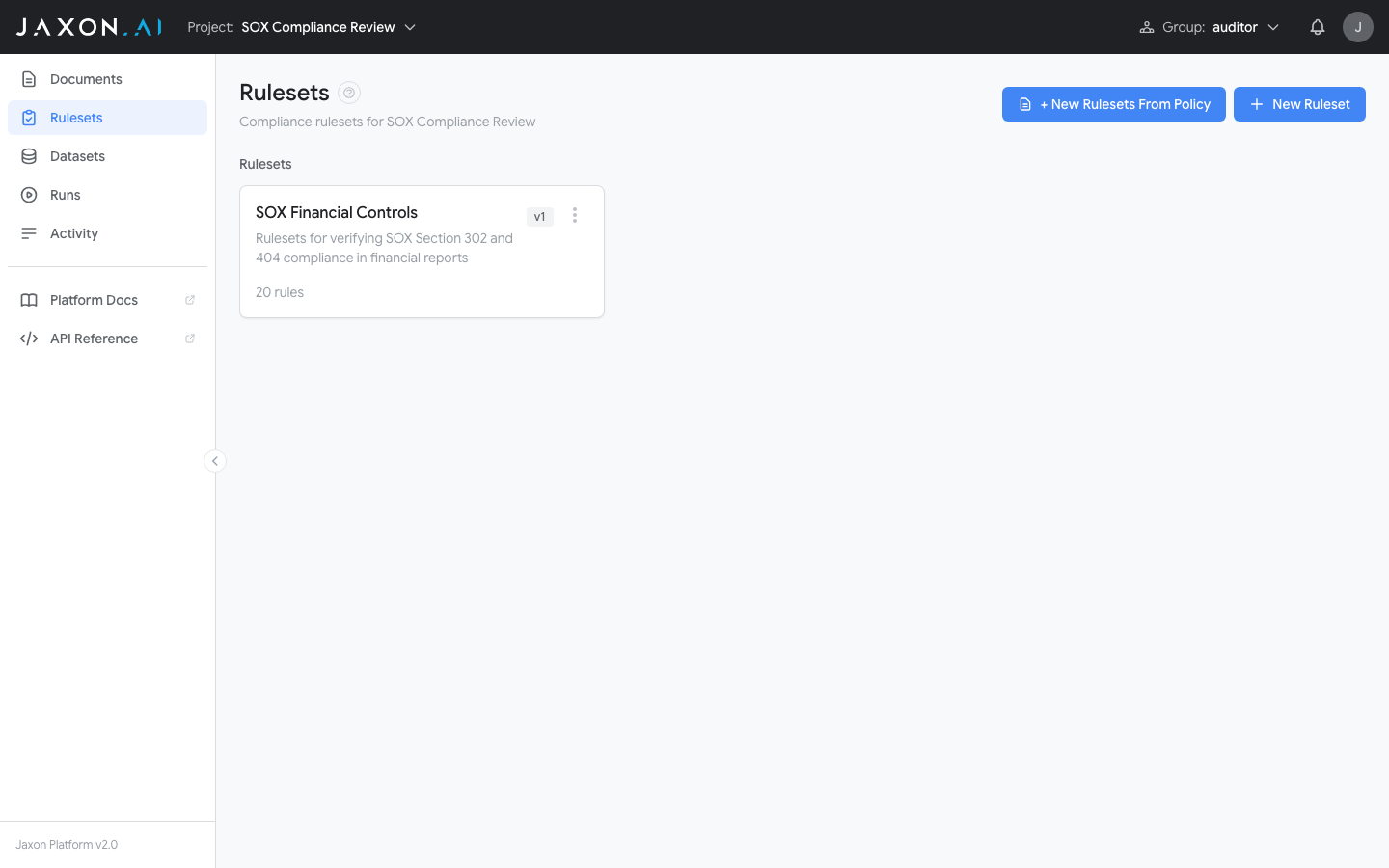
The Rulesets page lists every ruleset with its name and rule count. From here you can create new rulesets or open existing ones for editing.
There are two ways to create a ruleset:
- + New Rulesets From Policy -- Opens the 5-step creation wizard that extracts rules from a policy document automatically
- New Ruleset -- Creates an empty ruleset where you add rules manually
The Creation Wizard
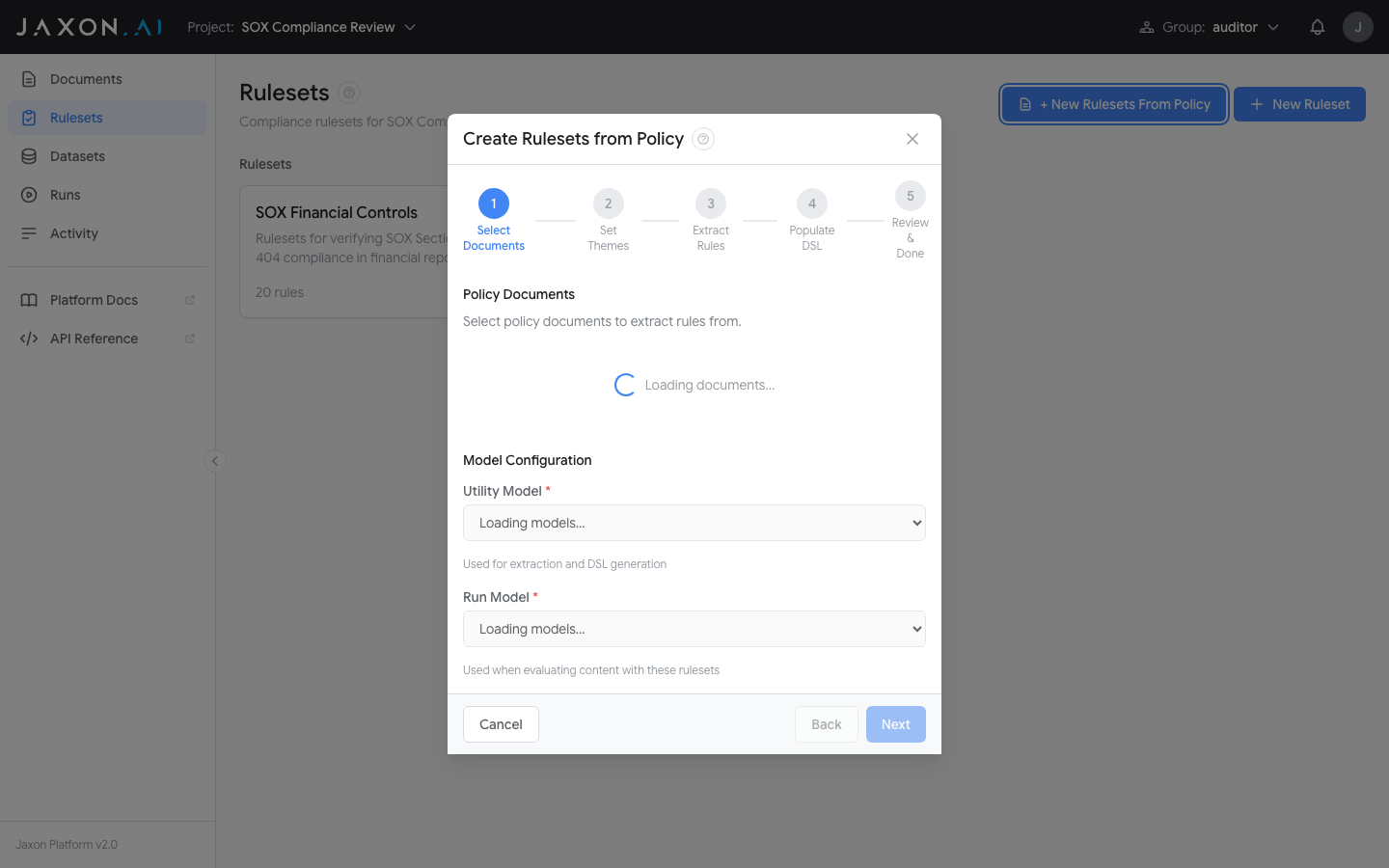
Click + New Rulesets From Policy to open the creation wizard. The wizard walks you through five steps:
Step 1 -- Select Documents: Choose one or more policy documents from your project to extract rules from. Select the Utility Model (used for extraction and DSAIL generation) and Run Model (used when evaluating content with these rulesets).
Step 2 -- Set Themes: Themes organize rules into logical groups. You can auto-extract themes from your documents or add them manually. Click "Create Rulesets & Continue" to create a ruleset for each theme.
Step 3 -- Extract Rules: Choose an extraction method (Basic or RAG) and start rule extraction. The platform analyzes each document and extracts individual policy requirements as rules. This step can run in the background.
Step 4 -- Populate DSAIL: The platform generates DSAIL code and data extraction questions for each extracted rule. This step can also run in the background.
Step 5 -- Review & Done: Review the created rulesets and their themes. From here you can open any ruleset in the Ruleset Studio to refine its rules.
The Ruleset Studio
After creating a ruleset (or when opening an existing one), you enter the Ruleset Studio -- the primary workspace for viewing and editing individual rules.
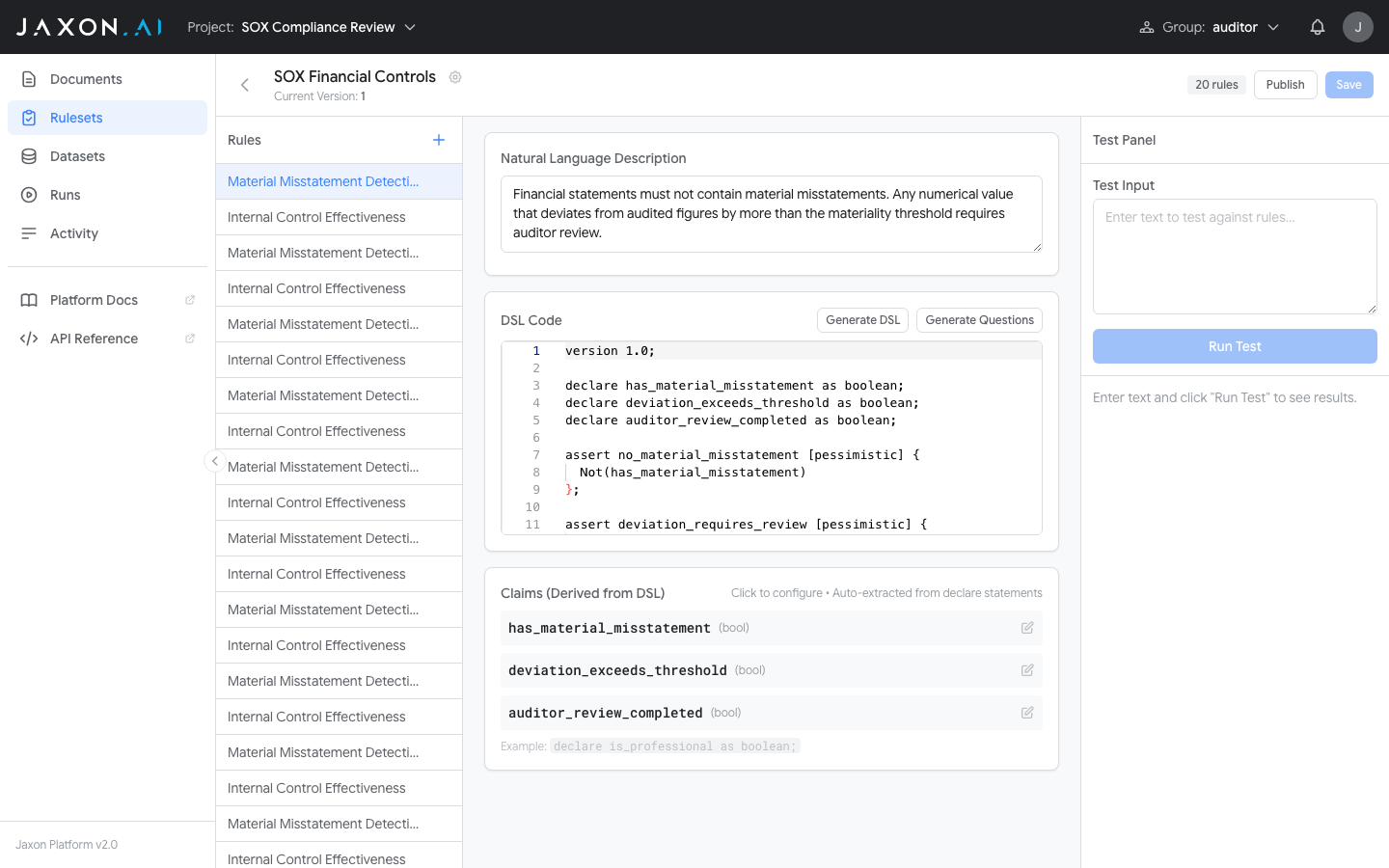
The Studio has a three-panel layout:
- Rule list on the left -- Navigate between rules in the ruleset. Click the "+" button to add new rules.
- Rule editor in the center -- Edit the natural language description and DSAIL code for the selected rule. Use "Generate DSAIL" to create DSAIL from the description, or "Generate Questions" to create claim questions. Claims are derived automatically from
declarestatements in the DSAIL code. - Test panel on the right -- Enter test input text, click "Run Test", and see per-assertion results (TRUE/FALSE) and claim answers immediately.
You can publish new versions, revert changes, and save your work from the header bar.
The DSAIL Editor
The Studio includes a dedicated code editor for writing and editing DSAIL assertions.
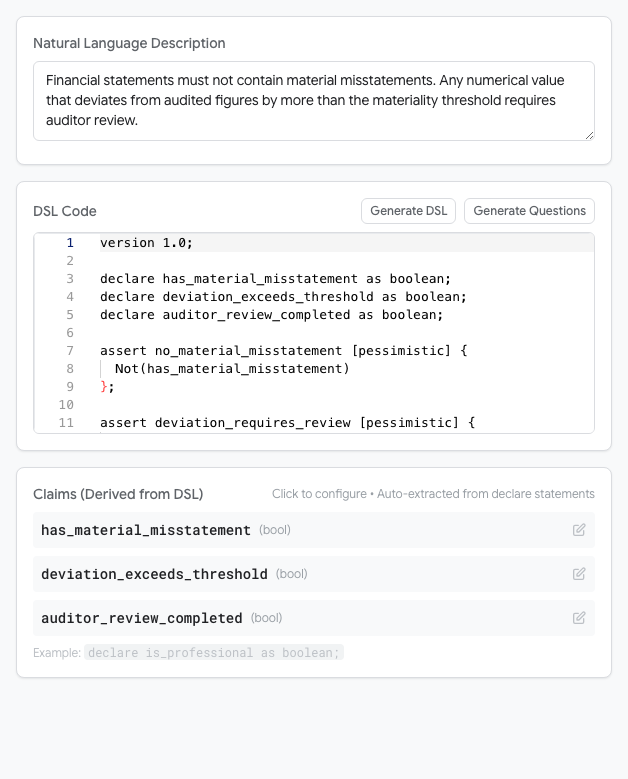
The editor supports the full DSAIL Language syntax including variable declarations, assertions with completion policies, functions, and quantifiers.
Related Concepts
- Documents provide the policy source and input text that rulesets verify
- Datasets group documents for batch testing
- Runs execute rulesets against documents and display compliance results
- DSAIL Language is the formal language used to write rule assertions