Documents
Documents serve two essential roles in the platform:
- Policy sources -- Documents are the source material from which rulesets are created. When you upload a compliance policy, regulation, or internal standard, the platform extracts individual rules from that document to build a ruleset.
- Test inputs -- Documents are the content that rulesets evaluate. When you run a ruleset, it analyzes a document's text to determine compliance. Documents are also assembled into Datasets for batch testing.
Every verification workflow starts with a document -- either as the policy being codified or as the content being verified.
How Documents Work
A typical document lifecycle follows these steps:
- Add a document -- Upload a file or create a text document directly in the platform
- Content is stored -- The platform saves your document as an immutable record
- Use as policy source -- Reference the document when creating a ruleset with the creation wizard, which extracts rules from its content
- Use as test input -- Select the document (or include it in a Dataset) when creating a Run to verify it against a ruleset
Working with Documents
The Documents Page
Navigate to Documents in the sidebar to see all documents in your active project.
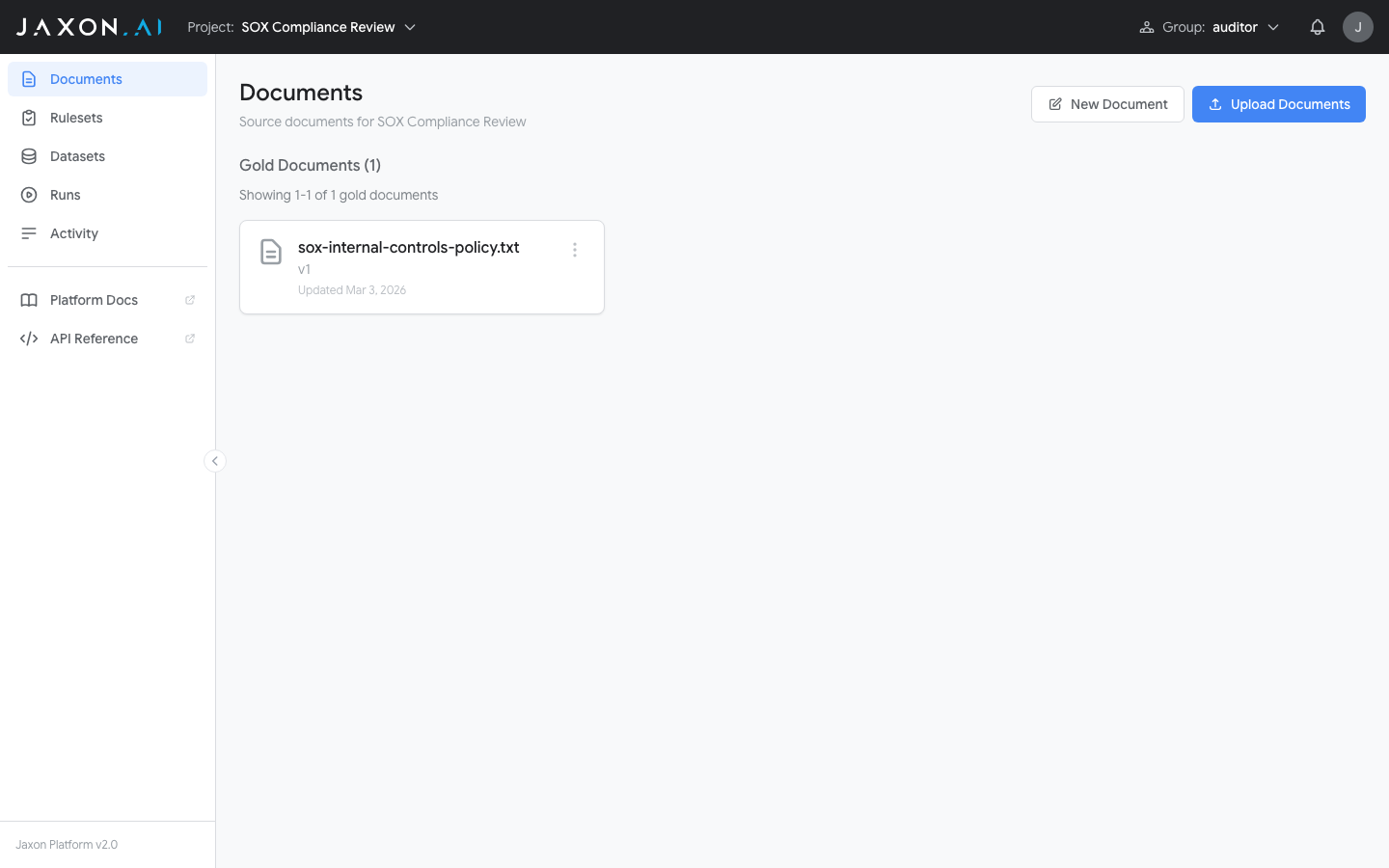
Documents are organized into two sections: Gold Documents (manually created or human-reviewed content) and Silver Documents (machine-generated content that has not yet been human-reviewed). Silver documents are created when you generate synthetic records within a Dataset to expand test coverage. This classification helps you track data provenance across verification workflows.
Adding Documents
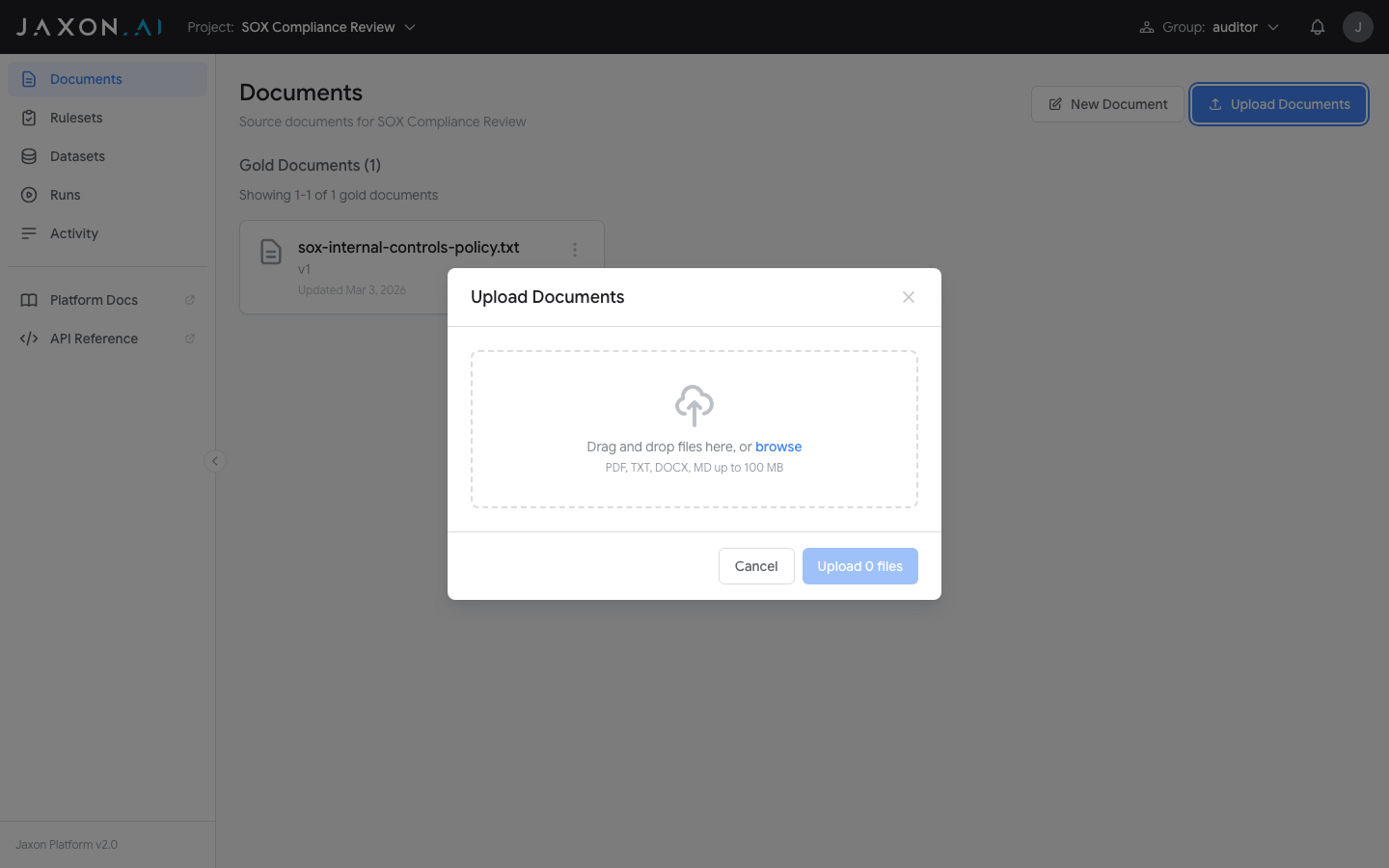
There are two ways to add documents, available from the buttons at the top of the page:
- New Document -- Opens a text editor where you enter a document name and type or paste content directly. This is the fastest way to add policy text or test content.
- Import Documents -- Opens a drag-and-drop import interface that accepts PDF, DOCX, TXT, MD, and CSV files (up to 100 MB). You can upload multiple files at once. PDF and DOCX files are limited to 5 pages. CSV files are handled differently: each row in the CSV becomes a separate document. Scanned and image-based PDFs are supported -- the platform automatically applies OCR to extract text from pages that lack an embedded text layer.
Related Concepts
- Rulesets are created from policy documents and verify content against rules
- Datasets group documents together for batch testing
- Runs execute rulesets against documents and display compliance results
- DSAIL Language is the formal language used to encode the rules that documents are checked against