Datasets
Overview
It is extremely important to be able to assess whether or not a policy rules guardrail, once built, performs as expected; and a key part of doing this meaningfully is assembling a dataset for the guardrail that also contains ground truth, meaning the expected output of the guardrail for the provided data. This is is what the Datasets functionality provides, and it can be accessed from the "Datasets" tab in the main platform navigation bar.
Creating Data
To create a new dataset, first do the following:
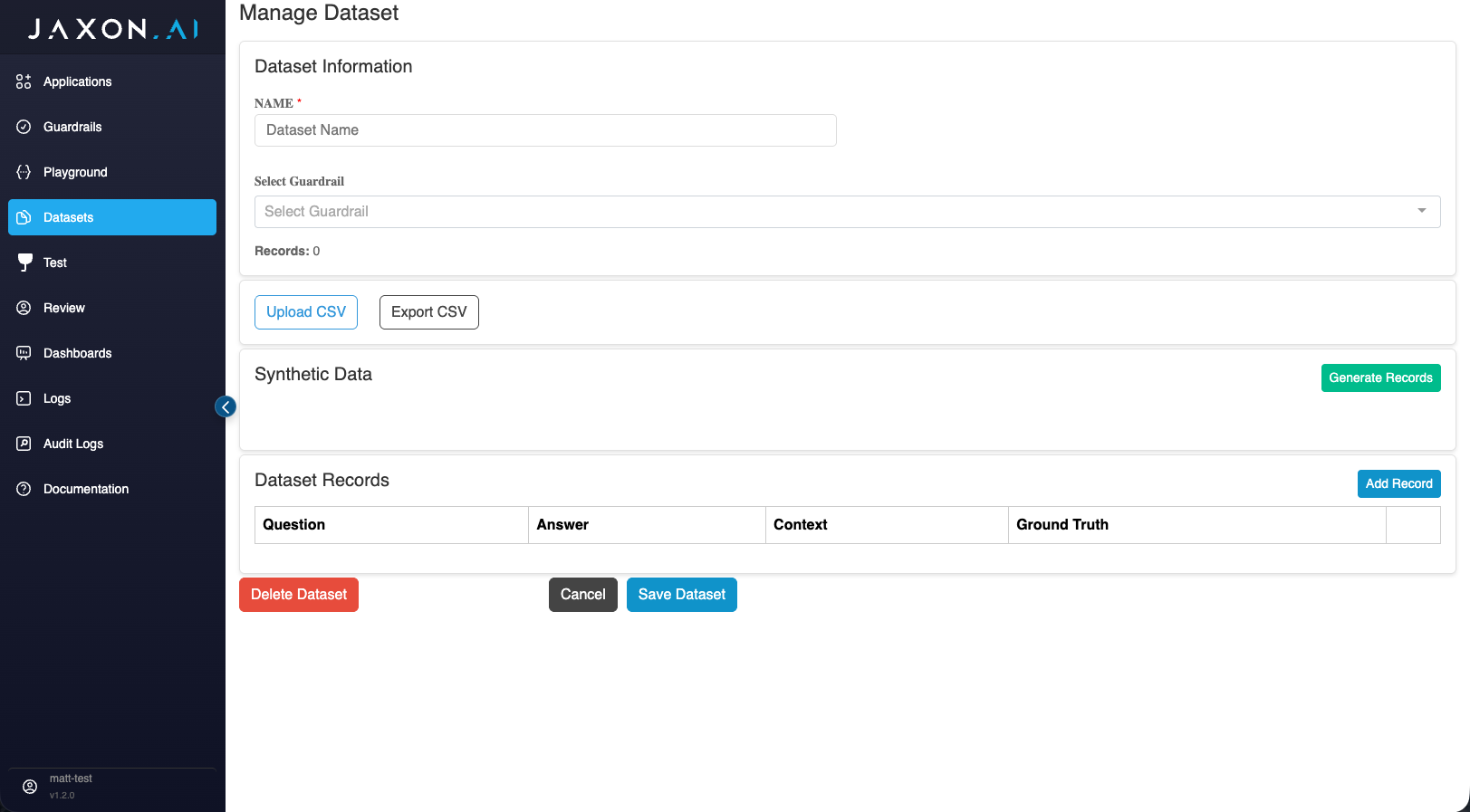
- Go to the "Datasets" tab in the main navigation menu, and then click on "Create Dataset" in the upper right-hand corner.
- In the "Dataset Information" box at the top of the page, specify a name for the dataset and select the guardrail the dataset will be used to test.
Now you have two options for ways to create the data: You can upload a CSV file or generate records one at a time from within the interface. See the sections below for guidance on each approach.
Uploading a CSV File
Each uploaded CSV file must contain the following common column: context. This is the data itself.
The remaining columns, then, are specific to each guardrail, providing ground truth for its DSAIL assertions. All policy rules guardrail rules have one or more assertions associated with them. These columns can have one of three possible values for each data row:
- 0: false
- 1: true
- 2: unknown
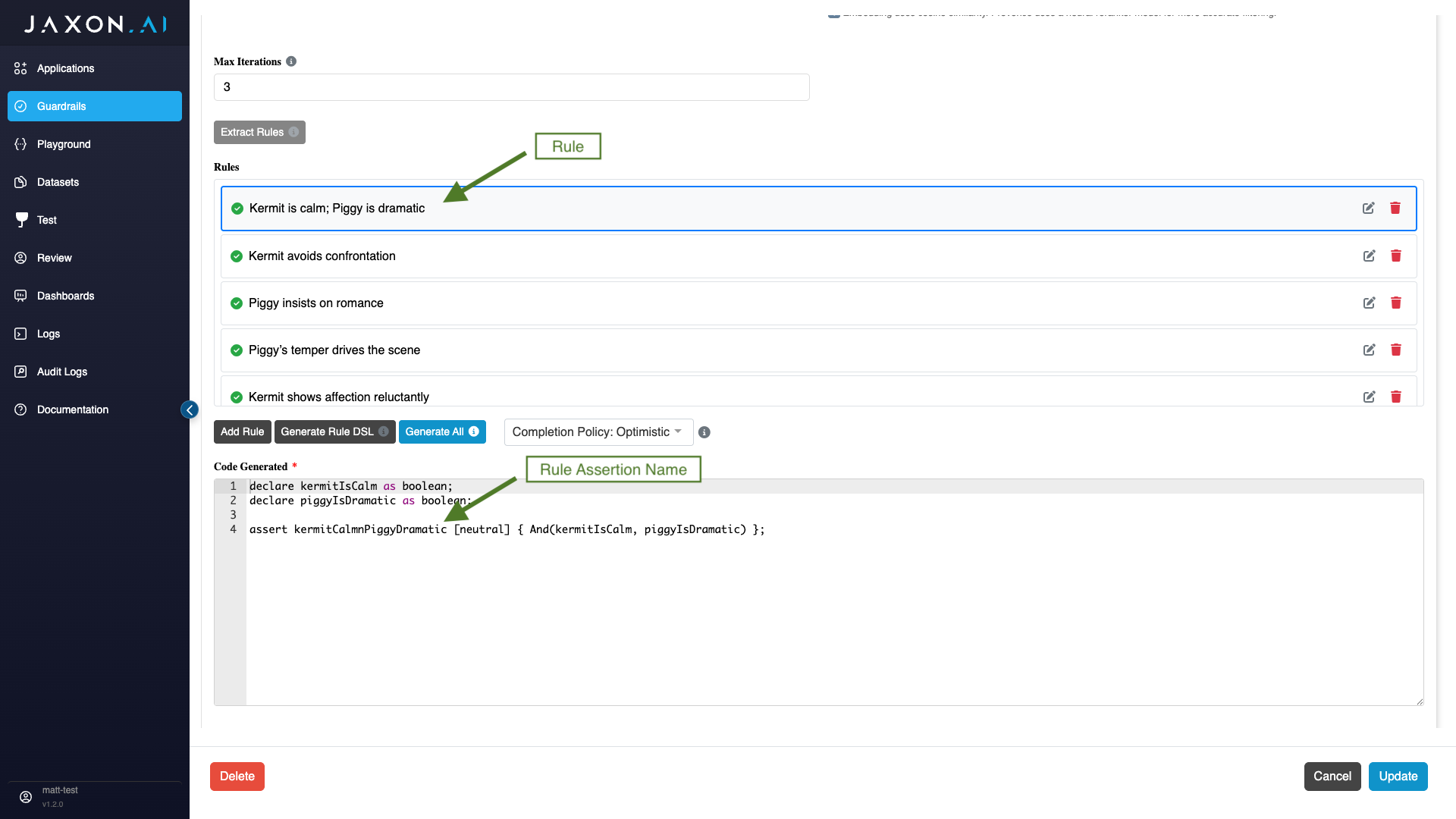
If you are unsure of the names of the assertions associated with your guardrail, go to to the guardrail configuration page, click on each of the rules, and review the generated DSAIL tied to those rules. You will see the assertion names there.
CSV File Upload Errors
If the columns of the CSV file do not match the expected columns for the associated policy rules guardrail, then you will receive an error notification specifying the problematic or missing columns that appears in red at the top of the page.
CSV File Template
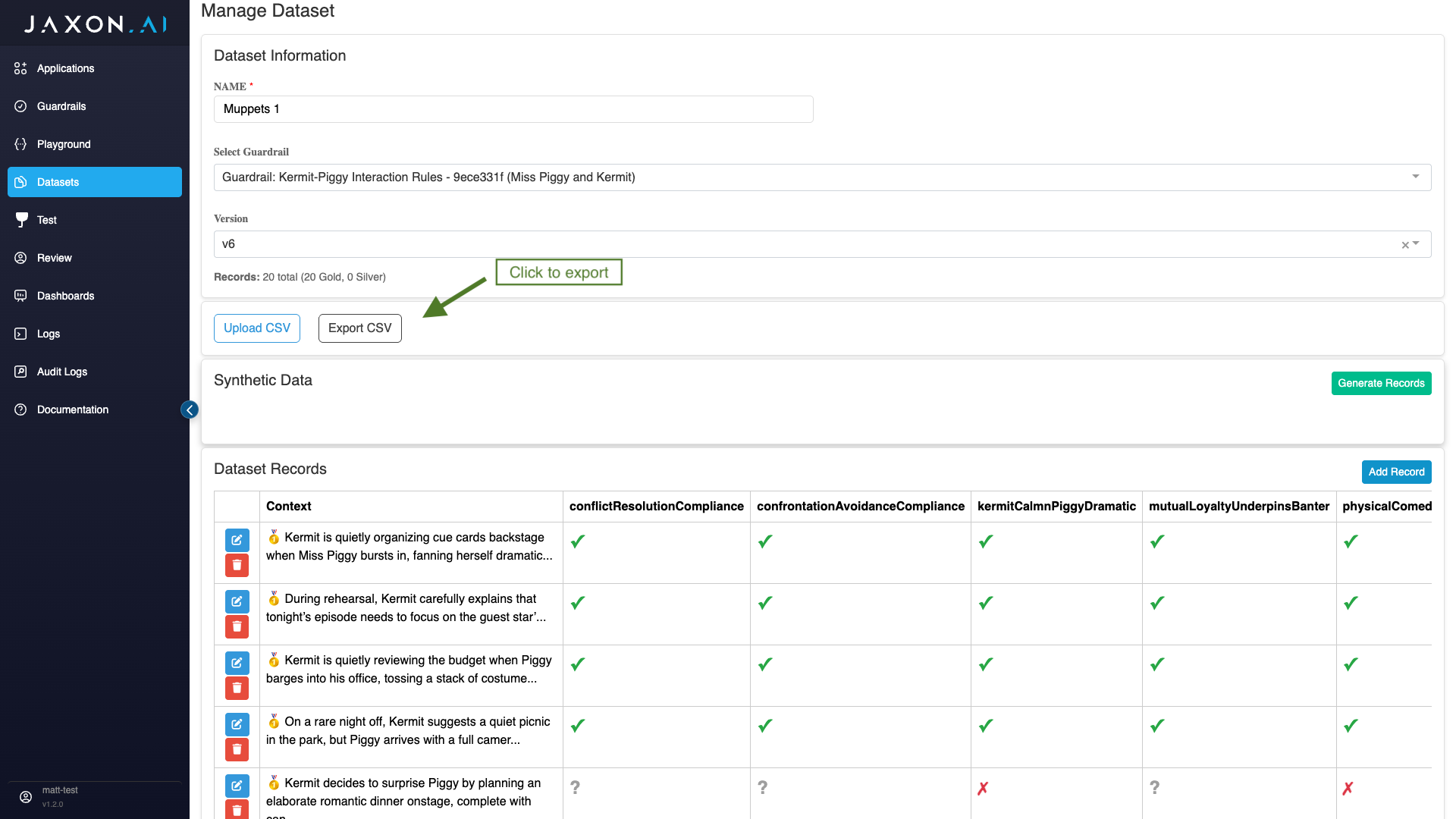
Rather than try to match the required CSV format for your particular guardrail manually, you can also export a template by selecting "Export CSV" before you have added any data. This will provide you with all the required column headers.
Adding Data in the Platform
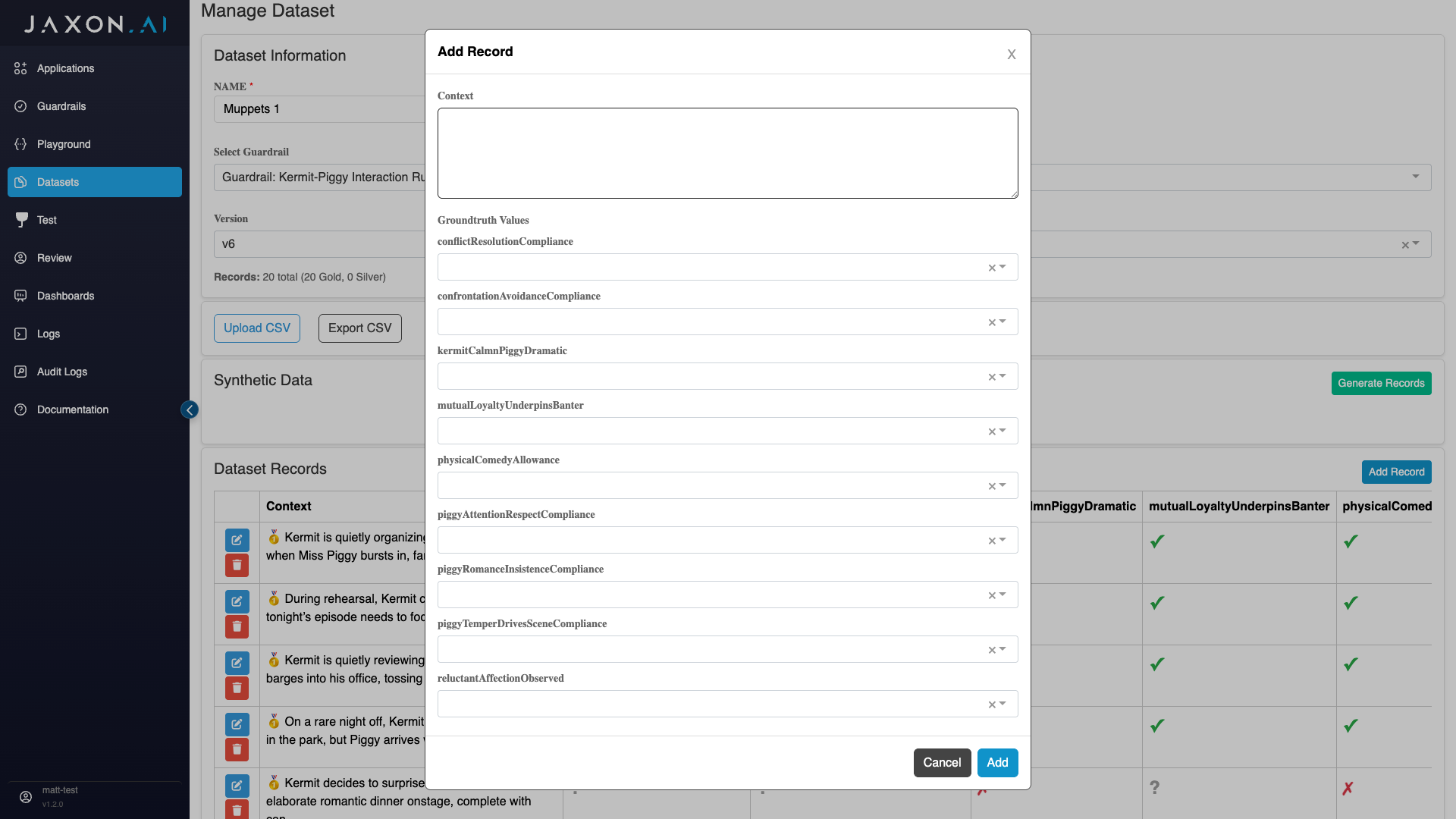
The alternative to uploading data via CSV is manually adding rows of data individually. To do this scroll down to the "Dataset Records" section on the Dataset setup page and click "Add Record." This will bring up a form that allows you to enter the data itself ("context") and ground truth values for all assertions associated with the guardrail. Acceptable values for each assertion are available via dropdown and are the same as for the CSV import:
- 0: False
- 1: True
- 2: Unknown
Synthetic Data
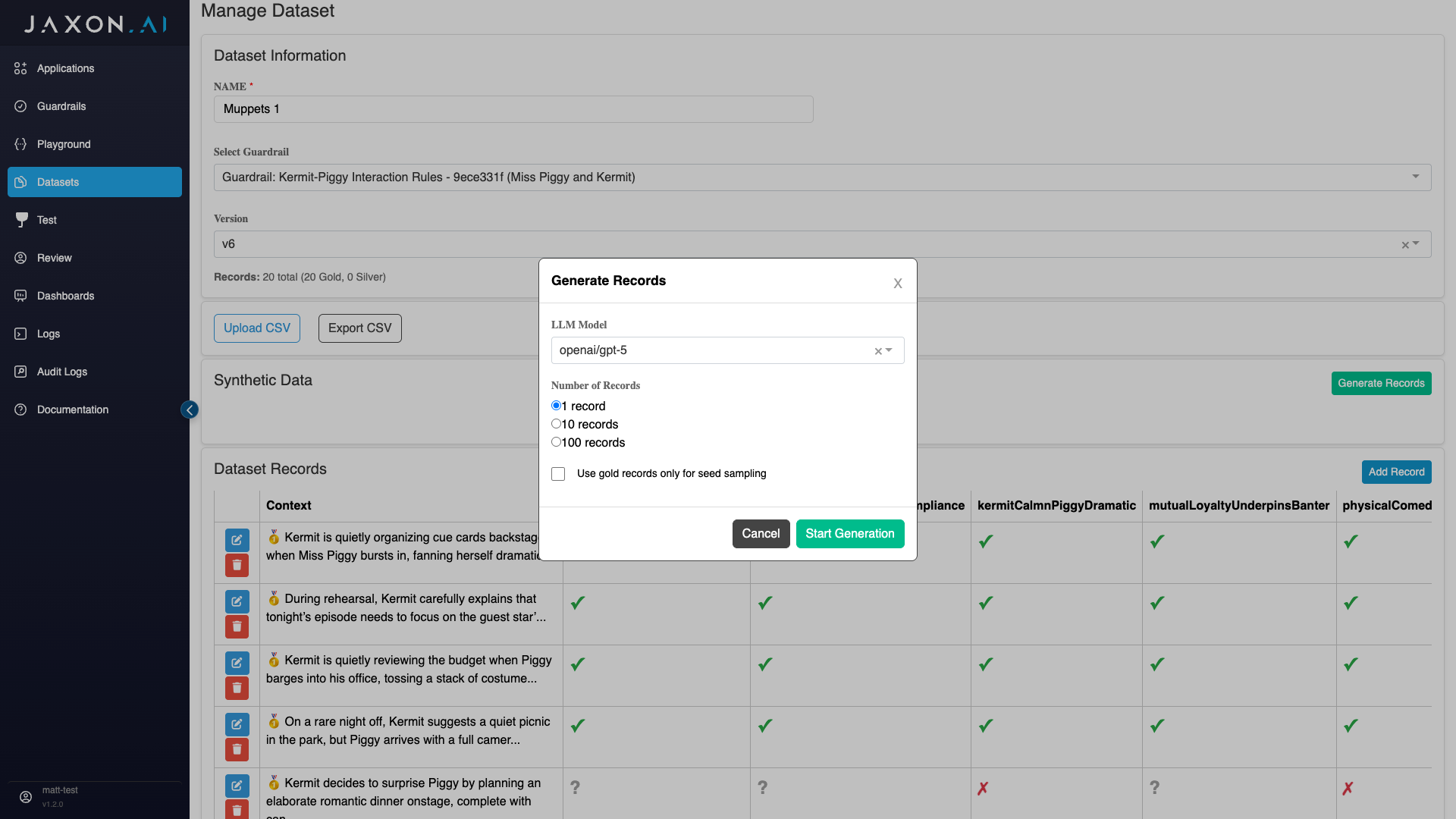
To make it easier to create more data without having to always manually create it or deal with data sensitivity issues, we have a synthetic data generation feature. This makes it possible to derive new records using existing high quality records.
Gold Data versus Silver Data
Data that you create yourself will always be considered "gold" data. This means it is of known quality and acceptable for use. "Silver" data on the other hand is synthetic data that has been derived from existing data.
Creating Synthetic Data
While silver data can be used to generate synthetic data, using gold data is likely going to more reliably generate high quality synthetic data. It is possible to specify what records get used, as well as the LLM used for synethetic data generation and how many records are created in the creation dialog that appears when you click "Generate Records."
Adding Ground Truth to your Synthetic Data
Ground truth can be added to this data in one of two ways:
- By clicking on the edit button in the synthetic data row in the "Dataset Records" table and adding the entries for each assertion.
- By exporting the data after creation, updating the CSV file, and then importing the data again. Note: On import you will be warned that you are overwriting existing data, this is okay as you are taking the original and replacing it with the same plus the synthetic data rows.